Vizio TV With Sound But No Picture (Easy FIX!)
For some reason most Vizio TVs eventually run into a similar problem where the sound works, but there is no picture.
There are countless cases of Vizio TV owners who say they’ve had this problem. Luckily there is a very easy fix that should resolve about 50% or so of Vizio TVs with sound but no picture.
Vizio TV with sound but no picture
If your Vizio TV has sound but no picture, you need to reset it. Unplug your TV and wait a full 60 seconds. While the TV is unplugged, press and hold the power button for 30 seconds. After the 60 seconds are up, plug your Vizio TV back in.
Power cycle your Vizio TV
While this fix sounds incredibly obvious, unplugging your Vizio TV from the wall outlet is the most common way to get the picture back and working again.
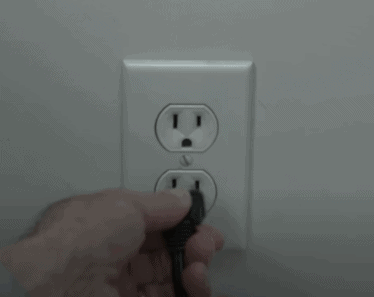
The key here is to actually wait the FULL 60 seconds. Have some patience and make sure it’s been at least a full minute before plugging it back in.
While the TV is unplugged, find and hold the power button on your Vizio TV for about 30 seconds. Make sure you are holding the power button on your TV, and not your remote!
This will help to drain any residual power left in your TV’s capacitors and allows the TV to soft reset itself. This is much different than simply switching the TV on and off with the remote.
Once you plug the TV back in after the 60 seconds, you should see it power back up no problem.
While this fix should work for about 50% of cases, the remaining 50% can be a bit trickier. If you’re still having trouble getting your Vizio TV picture back, read on.
Check all HDMI connections
If power cycling your Vizio TV didn’t do the trick, then the very next thing you should check are your HDMI connections.
If you have anything connected to your TV via HDMI, make sure that the connections are snug! That means unplugging them and then plugging them back in securely.
With the rise in popularity of HDMI streaming devices like Roku and Firestick, more and more Vizio TV owners are reporting that their TV has sound, but no picture. And it’s often due to a bad HDMI connection.
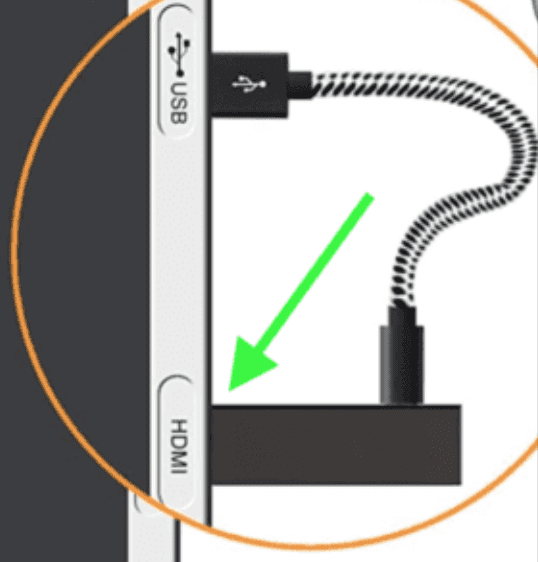
Bad HDMI connections come in a few forms:
- Loose HDMI connection
- Faulty HDMI port
- Bad HDMI cable
If you confirmed the connection is secure, go ahead and double-check that you are on the right Input channel as well.
To do this, look at the back of your TV and find the HDMI port you’re using. Above the HDMI connection, there should be a label, or some writing on your TV, indicating which HDMI port number it is.
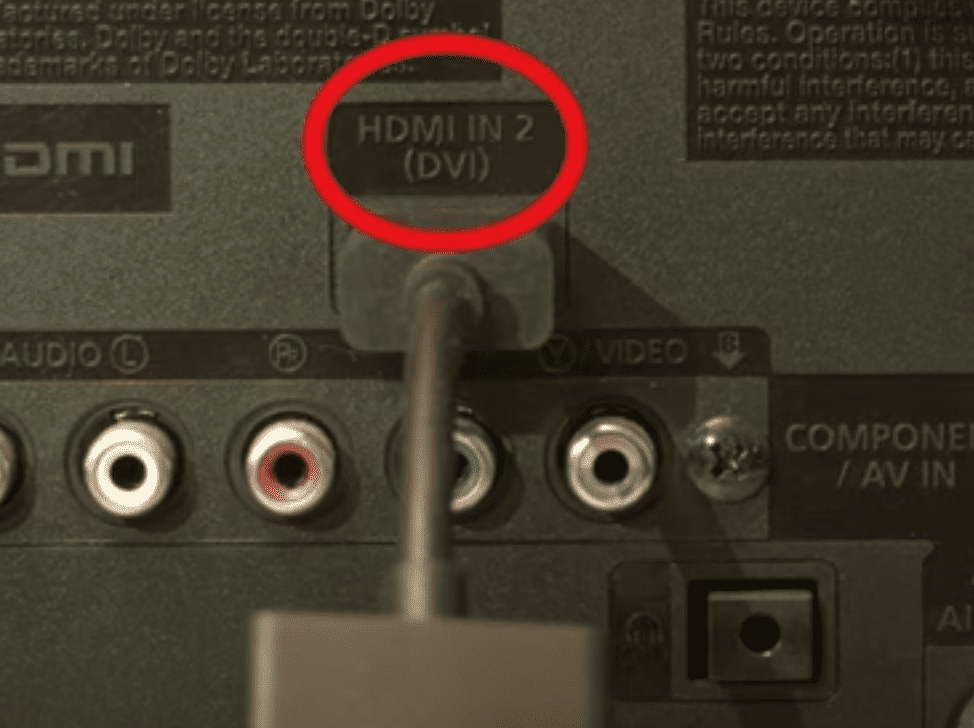
Take note of that number (HDMI “2” in the example above).
Then grab your Vizio TV remote (NOT your Roku or Firestick remote, if you’re using those) and click SOURCE (or INPUT). You’ll likely need to toggle this several times until you find the corresponding input on your TV
If the connection is secure, and you’re on the correct input, I would try connecting to a different HDMI port. Vizio TVs often have multiple ports, sometimes up to four! Use a different port and see if you get the picture back.
If not, the last possible fix here is to replace the HDMI cable you’re using and see if that does the trick.
Issue with Vizio TV backlight
If your Vizio TV is on and you hear sound, but there is no picture on the screen, it’s possible that one of the LED power strips on the backlight is faulty.
To troubleshoot the issue, make sure the TV is powered on. Then take a flashlight (the flashlight on your phone will work too) and shine it close to the TV’s screen. I suggest turning off all the lights so it’s easier to see.
If the screen is working, you will see a very dim image on the TV.

Use the remote to see if the TV responds to commands. I suggest testing the volume and input keys on the remote too.
You might need to move the light around to find where the TV’s user interface is on the screen. If you hear audio cues, you’ll likely see a faint image too.
If, when you shine a flashlight on the screen you see a dim image, and the remote is allowing you to control the TV, that’s good news. It means the TV’s T-CON and mainboard are working as they should.
In that case, the problem is most likely with the TV’s LED backlights.
NOTE: while some of a TV’s components are easy and cheap to replace on your own, disassembling a TV will likely void the warranty. If your TV is still under warranty, I suggest contacting Vizio for further assistance.
Having said that, some simple DIY fixes can usually bring your TV back to life, and you won’t need to pay much for technicians or repairs.
Below I’ll cover some of the components that are most likely to cause the black screen you’re seeing.
There’s also a chance the entire panel is broken and buying a replacement screen is costly and usually not worth it.
Buying a brand-new TV is often cheaper than paying for a panel replacement. But it’s rare for a TV’s panel to break, unless it’s been physically damaged by force.
Problem with Vizio TV screen
If your backlight is working fine, then you most likely have an issue with the screen of your Vizio TV.
Problems with the screen are a lot trickier to solve because there are a handful of different components inside the TV itself that could be causing it.
The most likely culprits are the the T-con board, Cof-IC or Scalar PCB (power control board).
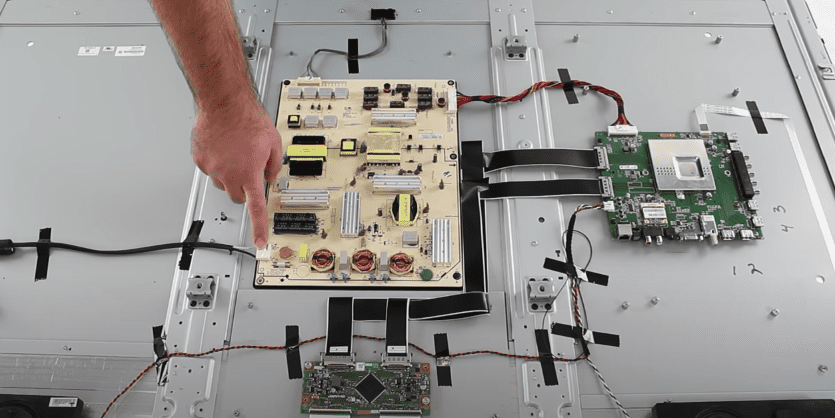
If you’re handy, you can take off the back panel of your Vizio and try to replace these components yourself. But you’re probably better off hiring a trained TV technician to do the work for you.
Keep in mind that the screen size will make a big difference on cost and whether or not a repair makes financial sense.
Repairing a TV that is 32″ or less is rarely worth the repair because of the labor costs involved (just because the screen is smaller, doesn’t mean it takes any less time to fix it!).
These days, buying a brand new TV is likely your best bet, unless you can do the work yourself.
Vizio TV support
If you tried all the troubleshooting steps above and your Vizio TV still has sound but no picture, you should contact the Vizio TV support team directly.
They can be reached at 1-844-254-8087.
- Monday – Friday, 8:00 AM – 11:00 PM CST
- Saturday – Sunday, 8:00 AM – 9:00 PM CST
(Shortest wait times are Monday – Friday, 1:00 PM – 5:00 PM CST).
You can also try using their Text Message support or Live Agent chat.
Vizio TV warranty
This is always a last-ditch effort, but you should see if you have an active warranty on your TV.
After you describe what the issue is and Vizio makes their determination of whether or not it is covered under warranty, they will either repair or replace your TV.
They even offer in-home services if this ends up being covered under your warranty. It’s worth a shot!
Conclusion
If your Vizio TV has sound, but no picture, don’t panic, there are several proven fixes you can try to get things back up and running:
- Power cycle your Vizio TV
- Check all your HDMI connections
- See if your TV’s backlight is still working
- The issue may be with the screen itself
- Contact Vizio TV support
- Check your Vizio warranty
Hopefully one of these fixes worked for you. Were you able to get the picture back on your Vizio TV? If so, let me know how in the comments below!