How to Reset Astro A50 Headset (With Pictures)
While the Astro A50 is easily one of the best gamer headsets available, it does have its fair share of issues.
One of the biggest problems that you’ll come across in online forums and Reddit is that the Astro A50 occasionally just stops working, for no apparent reason. Pretty frustrating, especially for a headset that costs several hundred dollars.
But luckily there is a really easy fix – a hard reset.
How to reset Astro A50 headset
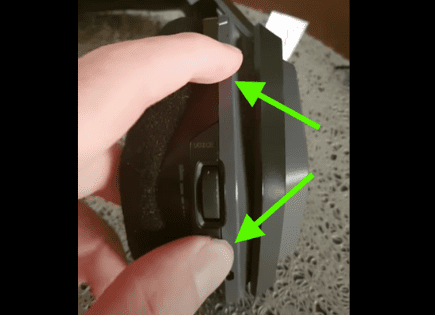
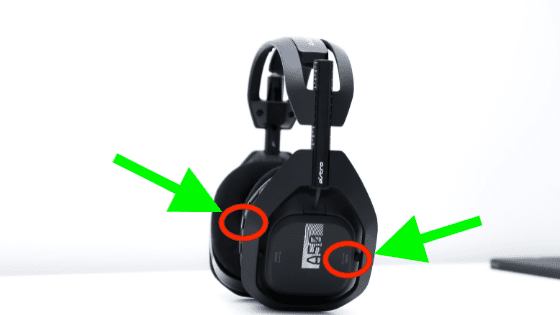
To reset your Astro A50 headset, make sure the power switch is in the ON position. Proceed to hold down both the Dolby button + the Game side of Game/Voice balance at the same time, for at least 15 seconds. This will hard reset your headset and it should work again.
A lot of folks think their Astro A50s are completely broken and can’t be repaired. Some even buy a new pair, when all they had to do is reset them!
In part, I blame Astro because they do an incredibly poor job documenting the reset process. In fact, they don’t include it in any of their documentation.
Step-by-step Astro A50 reset process
The steps required to hard reset the Astro A50s are nearly impossible to find online. After digging through forums, articles and YouTube videos, I finally found the answer.
Before we get started, it’s important to keep in mind that a hard reset like this will wipe out any custom presets you have saved for your headphones.
That isn’t ideal, but since your headphones aren’t working at all right now, I’m sure it’s a price you’re willing to pay. I would just take a screen shot of your presets before proceeding.
Ok, start by placing your Astro A50s on the charging dock and jiggle them around until you see that they are charging. You should see the charging lights flash on the dock.
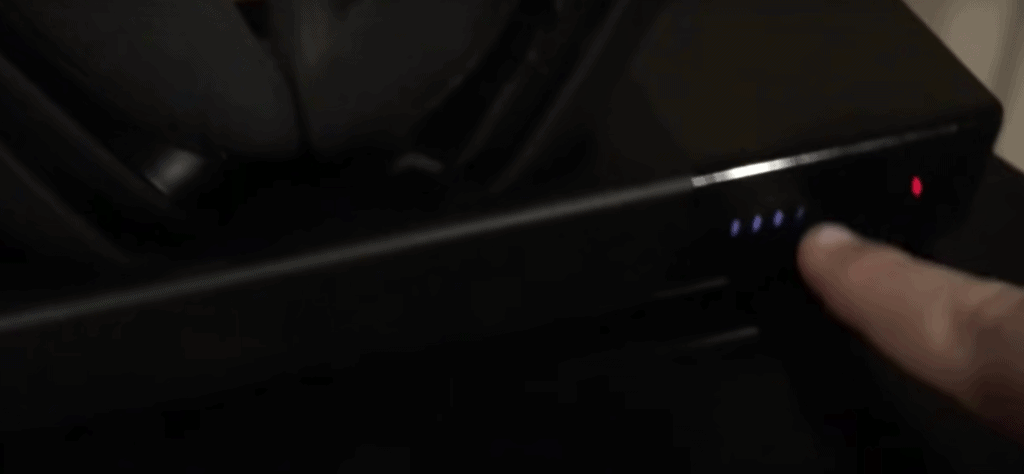
Once you see the dock charging, press the Power button on the headphones to turn them ON and then remove them from the charging dock.
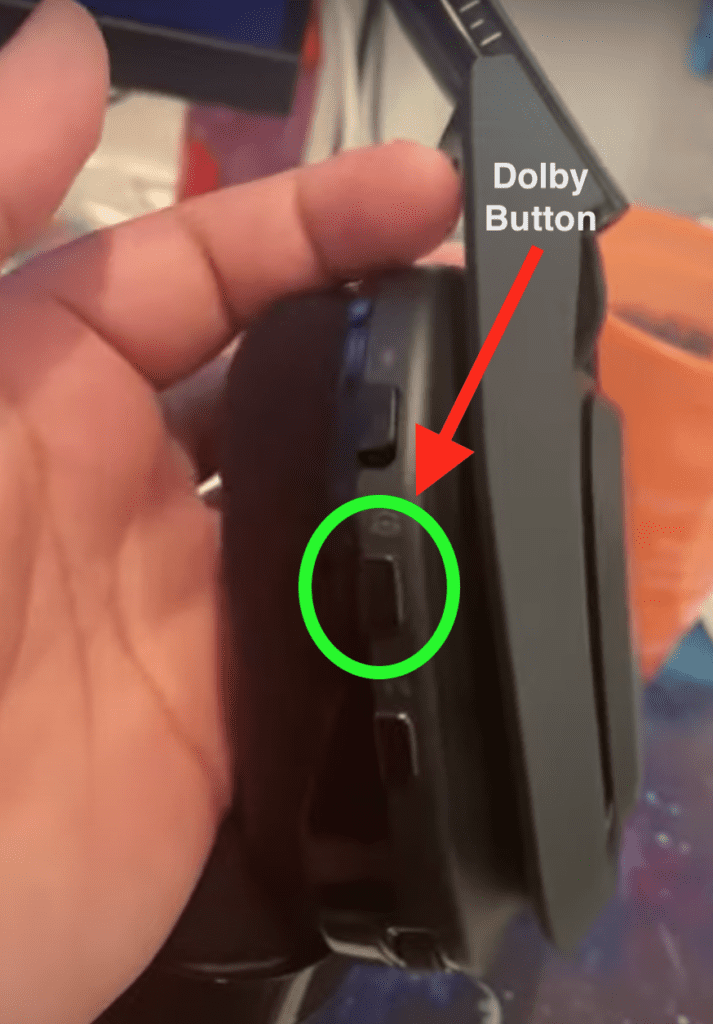
Next, locate the Dolby On / Source Audio button. It can be found on the side of your headphones. It’s the middle button.
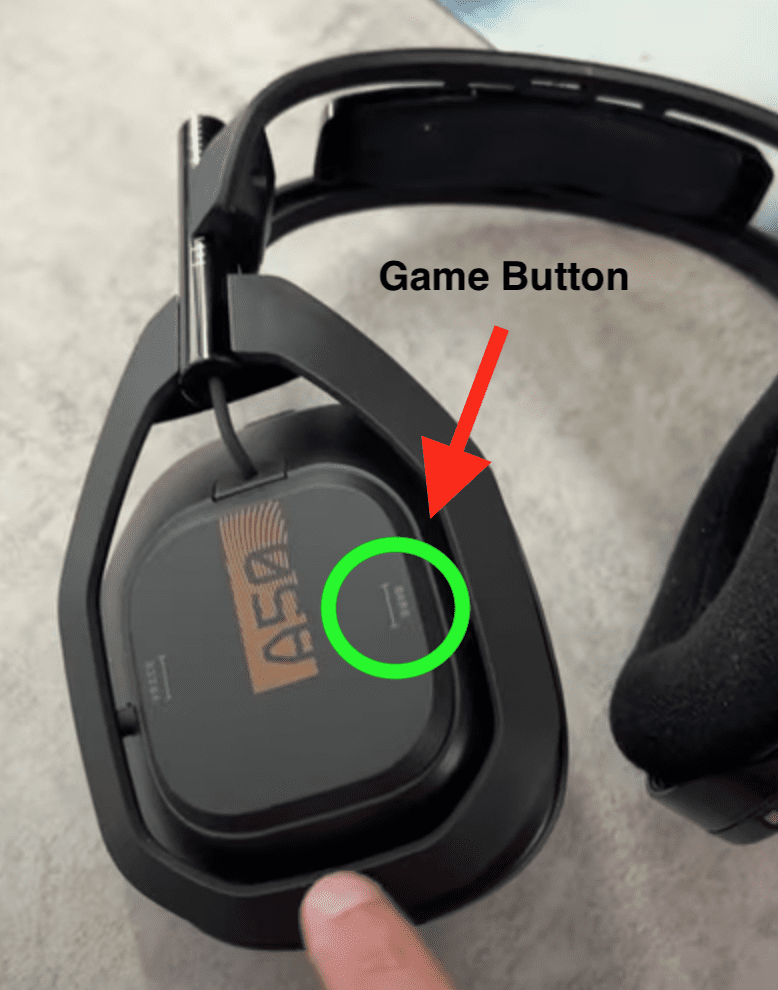
Also locate the Game side of the Game / Voice balance. The “Game side” is on the outside ear cup of the Astro A50 headset. It should be on the right hand side.
Now that you’ve located these buttons, press and hold them both at the same time for about 15 seconds.
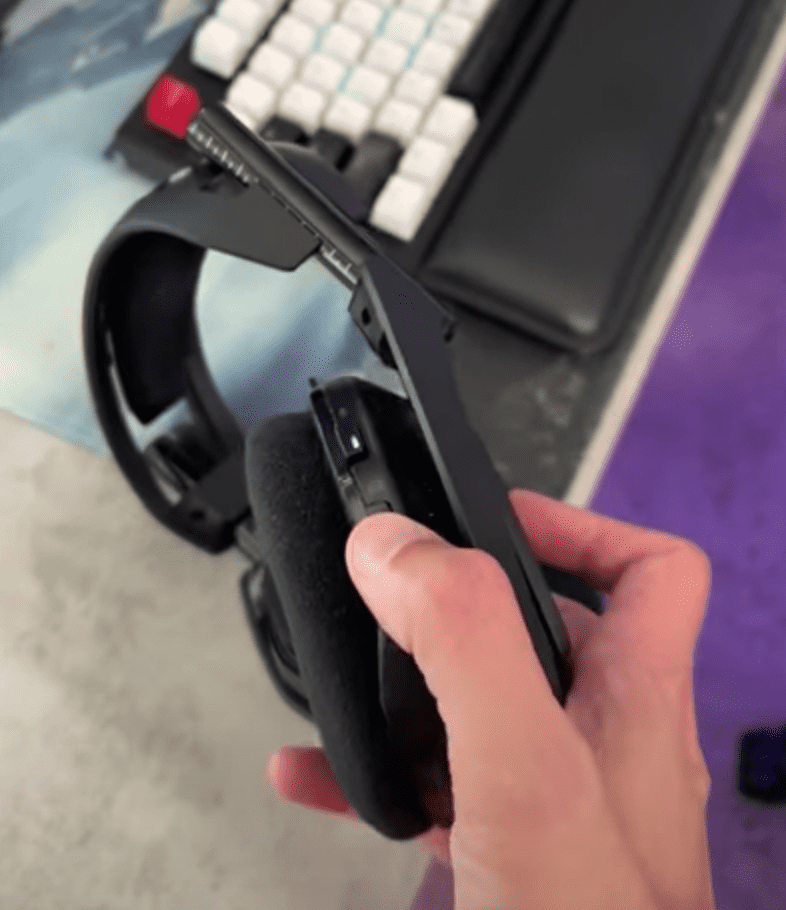
After the 15 seconds are up, place your Astro A50s back on the charging dock. The power light will come on and your headphones should work now!
When to reset your Astro A50 headset
Over time you’ll likely experience a quite few different issues with the Astro A50s.
Don’t get me wrong, these headphones are top of the line. But like all tech, they eventually run into problems.
If you run into any of the problems listed below, I would try hard resetting your headphones before panicking. A simple reset can fix some of the biggest issues!
Issues with the Astro A50 that a hard reset can fix:
- Your A50 headset won’t turn on
- There’s no power light on your headset
- The sound is not working (you don’t hear anything)
- The microphone isn’t working (no one can hear you)
- Your A50 headset won’t connect or pair to your device
These are just a few of the commonly reported issues with Astro A50 headsets that a hard reset often fixes.
If you’re experiencing an issue that isn’t listed above, and you can’t seem to resolve it, I would still suggest you try the hard reset before giving up.
It takes less than a minute to try, and it’s a lot better than buying an entirely new headset.
Astro Customer Support
If hard resetting your A50 headset didn’t fix your issue, and you simply cannot get your headphones to work, it might be time to reach out to Astro support.
You can also check your Astro A50 warranty information. In the US, for example, Astro has a one year warranty that covers defective parts or faulty workmanship during the manufacturing process.
They even cover the cost of shipping in the event you need to send your headset in for warranty evaluation and/or repair.
Buy a new pair of Astro A50s
The first Astro A50 came to market all the way back in 2012! So it’s quite possible that your headset has seen better days, and maybe it’s time to upgrade to the latest model.
If you’ve tried everything, and you just can’t get your A50s to work, treat yourself to a new pair. You can check the price of the newest Astro A50s here:

Astro A50 Pros
- Great sound
- Amazing comfort
- Extended battery life
Astro A50 Cons
- Expensive
- Build quality could be better
- Mic quality isn’t perfect
The Astro A50s really are THE choice for gamers who want a great headset that works seamlessly with their console and PC. And while it’s true that these headphones aren’t cheap, you get what you pay for.
Conclusion
The Astro A50 headset is one of the most popular gaming headsets on the market today. And for good reason, they pack a serious punch!
But even great products have their share of problems.
Luckily, most of the issues you’ll experience with the A50s can be resolved by a simple hard reset.
To hard reset the Astro A50s:
- Place your A50 headset on its charging dock
- Power your headset ON
- Remove the A50s from the charging dock
- Press and hold the Dolby and Game buttons at the same time for 15 seconds
- Place the A50s back on the charging dock
The power light on your Astro A50 headset should come on and your headphones should work now! If a hard reset doesn’t fix your issue, consider reaching out to Astro customer support.
Ultimately, if your headset is really old, it’s possible it’s just at the end of its shelf life. It may be time to upgrade and buy the latest model!
Were you able to fix your problem by hard resetting your Astro A50 headset? Let me know down in the comment section below.