How to Get Water Out of Charging Port (FAST and Easy!)
If you own a smartphone, it’s only a matter of time before you experience water damage.
I’m guessing you just jumped into a pool with your phone in your pocket. Or maybe you took a shower with your phone nearby and moisture built-up inside.
In any case, you’ll need to get the water out of your phone’s charging port in order to use your charging cable again. To get water out of your phone’s charging port:
- Dry your phone with a towel
- Turn your phone OFF
- Remove the SIM card and battery, if applicable
- Firmly tap your phone with your palm to eject water from the charging port
- Put your phone in a sock and blow cool air into it for 3 hours
After the 3 hours are up, your phone’s charging port will be completely dry.
Avoid using cat litter, rice, silica gel packets, or any heat source. These drying methods don’t work well, and in many cases can cause more damage to your phone!
What does it mean when there is water in the charging port
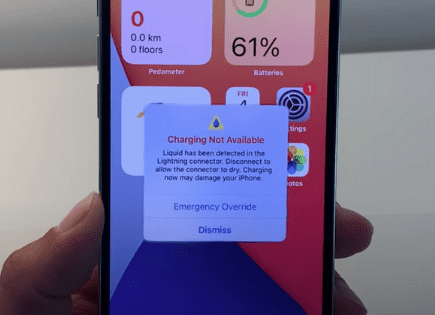
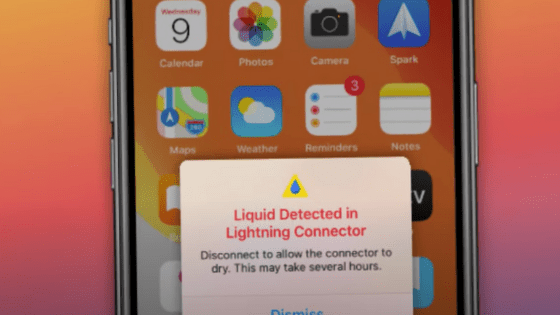
When you see an alert pop up on your smartphone, like “Liquid Detected in Lightning Connector”, it means that either your phone’s charging port, or the charging cable are wet and/or moist.
There are a lot of different ways this can happen, but here are some of the most common:
- Shower – if you leave your phone in the bathroom while you shower, the humidity can get quite high, creating a build up of moisture inside your charging port
- Rain – if you get caught outside in a rain storm, or even just a sprinkle, your phone can get wet
- Pool – jumping in the pool with your phone in your pocket will certainly get it wet!
- Spilt drink – spilling a coffee or water on your phone is another sure way to get it wet
Ok, so I left my phone in the bathroom while I showered and there’s water in the charging port, now what?
How to get water out of charging port
First off, I highly suggest you do not use the “Emergency Override” option, and instead allow your charging port adequate time to dry before you try using a charging cable again.
Additionally, depending on how new your phone is and just how much water your phone was exposed to, you might be able to get away with continuing to use your phone, while you wait for it to dry. More on that below.
But if your phone got really wet, as in fully submerged, I would follow these steps to ensure there is no lasting damage:
1) Use a towel to dry your phone
Quickly grab a towel and dry the entry surface of your phone.
Make sure there is no water visible anywhere on the outside of your cell phone.
2) Turn your phone OFF
The next thing you should do whenever an electronic device gets water damage is power it OFF.
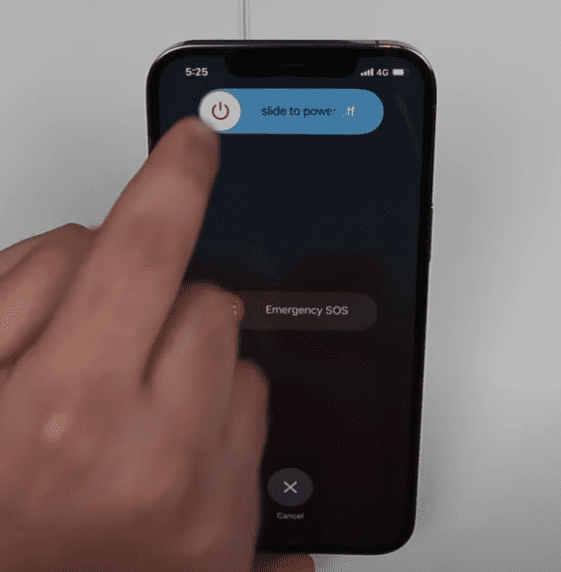
In most cases it’s not the water itself that kills a device, it’s the device shorting out because water is on the device while an electric charge is present!
By shutting your phone off you greatly reduce this risk.
3) Remove the SIM card (and battery, if possible)
The SIM card is the small memory chip in your phone that contains unique information that connects it to your mobile network.
It’s this very card that allows you to use your cell phone to receive calls, send SMS messages, and connect to the internet.
SIM cards are made with extremely delicate electronics, so even just a little bit of water can ruin them.
To remove the SIM card tray, look closely all along the sides of your phone. You’ll come across a small cut out and a pin sized hole.
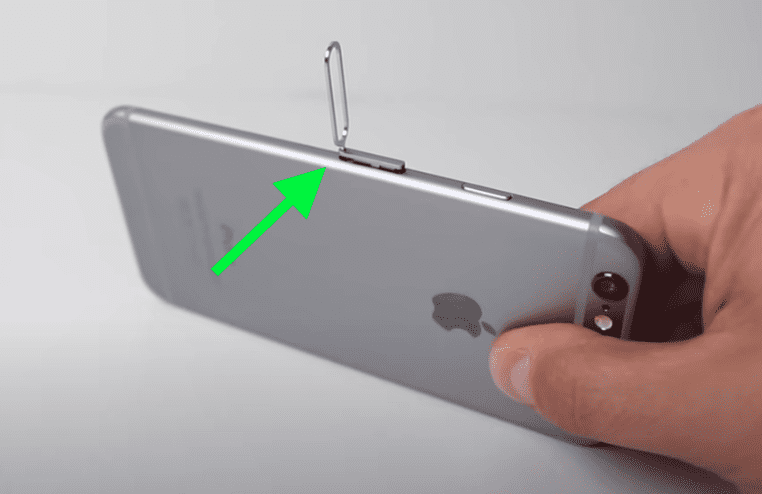
Using the end of a paper clip, press firmly on that hole and SIM card tray should pop out. You might need to press fairly hard to get the tray to pop.
Once it does, take the entire tray, with the SIM card, out of your phone. If there is any water on the try or card, gently pat it dry and set it aside.
Finally, if your phone has a removable battery, take that out as well. Most phones these days don’t have batteries that you can access, so the majority of you can skip this step.
4) Firmly tap your phone with your palm
This might seem a bit silly but trust me, it could be the difference between saving your phone or not.
Hold your phone with the charging port facing down, then firmly tap the top of your phone with the palm of your hand to help ease any liquid out of the charging port.
Repeat this process several times. It’s not uncommon to see full drops of water come out of your charging port after doing this!
5) Put your phone in a sock and blow COOL air into it
This next step will fully dry your phone in just a few hours, and it shouldn’t cause any damage if you do it right.
If you have a shop vacuum cleaner, take the hose off the suction side and put it on the exhaust side so that air is being blown OUT of the hose.
If you don’t have a shop vac, you can use a hair dryer. Just make sure the hair dryer is set to COOL or COLD! Do not use hot air or you risk damaging your phone.
Next, grab a tube extra sock you have lying around and place your phone in it. Next, place the shop vac hose, or your hair dryer into the sock and tape it into place.
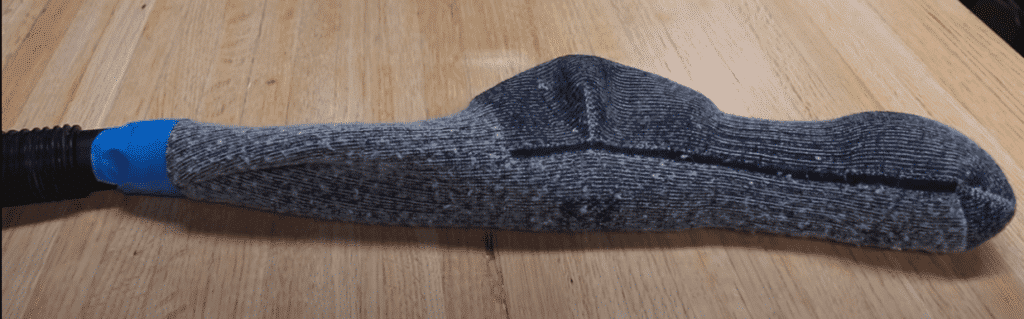
Now turn on your vacuum, or hair dryer. Your phone will receive a nice, consistent blast of air and start to dry!
Wait about 3 hours and then go ahead and try using your phone again.
NOTE: if you don’t have a shop vac or hair dryer, you can place your phone directly in front of a fan. Cool air moving across your phone is the key. A fan will take much longer, but it’s better than nothing.
What NOT to do when water gets in your charging port
There is a ton of bad advice online for water damaged smart phones. Most of this advice does nothing to actually fix your device, and in some cases can actually cause more damage!
I know it can be tempting to try to speed the drying process along, but please don’t do any of the following:
- Do not put your phone in a container of rice, cat litter, or silica gel packets
- Avoid using a HEAT source to dry your phone, like a radiator or hair dryer (in the directions above we are using a hair dryer on COOL or COLD, never hot!)
- Don’t insert anything into the charging port, like QTips or a napkin
If you don’t have a shop vac, hair dryer or fan, the best advice is to simply wait it out and let your phone air dry with time. I know that’s not what you wanted to hear, but be patient!
In fact, putting your phone in a bucket of silica crystals or rice actually takes LONGER to dry your phone than doing nothing at all!
This test was done with a phone that was submerged for 1 full hour. Here are all the different drying methods and how long each took:
| Drying Method | Time to Fully Dry |
|---|---|
| Silica crystals | 11 days |
| Rice | 10 days |
| Doing nothing | 8.5 days |
| Cat litter | 7 days |
| Fan | 2 days |
| Air | 3 hours |
What if my phone is water resistant
Most smart phones sold today are water-resistant.
But being water-resistant doesn’t mean your phone can’t suffer from liquid damage. Water-resistant phones are NOT waterproof.
This means that the metal components inside your phone can still corrode and cease working properly if they come into contact with liquid of any kind.
The same goes for the metal pins inside your charging port.
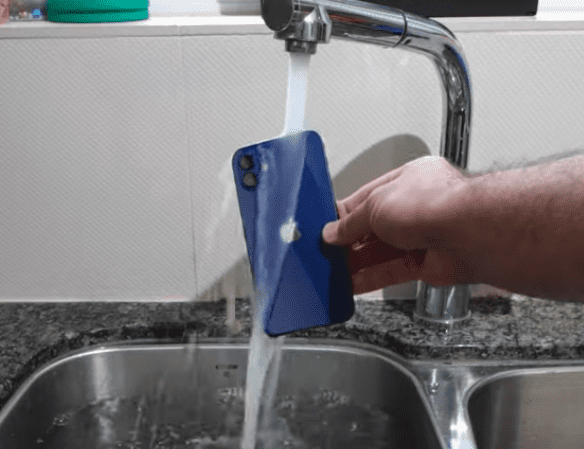
But without an electrical current passing through these metal pins, the liquid shouldn’t cause any lasting damage (unless it leaves residue on the pins).
That’s why your smart phone automatically disables the charging connector when your phone detects liquid in it.
An electrical current could make the metal corrode and the connector strip stop working.
What if my phone only got a little wet
The good news here is the advice I gave above assumes your phone got very wet.
If your phone was just exposed to some moisture AND you have a cordless charger, you can continue to use it indefinitely while you wait for the charging port to dry!
So not only can you use your phone, but you can charge it too while you wait for the charging port to fully dry out.
I literally just had this happen to me. I was taking a shower and I left my iPhone nearby on the sink.
When I went to charge it with my lighting cable, I got the Liquid Detected in Lightning Connector warning message.
So I just continued using my phone, and when it was time to charge it later that evening, I used my cordless charger. It worked fine.
The next day my phone’s charging port was fully dry, and the lightning charger worked again.
When to override the water detection alert
While it certainly shouldn’t be your first choice, there are times when you may want to risk damaging your phone in order to charge it, even if it’s wet.
In these emergency situations it’s possible to override the alert and charge your device.
It’s worth repeating that when you do this you do run the risk of permanently damaging your phone. Water and electricity don’t mix!
That said, if you do override the alert, you should first completely dry the outside of your phone and consider charging it wirelessly instead.
To override the liquid detection alert, simply reconnect the charging cable or accessory shortly after it appears. When the liquid detection alert pops up again, tap the “Emergency Override” button.
What if my phone detects water when it’s dry
Sometimes you might see the liquid detection alert when you’re absolutely certain your phone and charging connectors are dry.
Maybe your phone is brand new, or you allowed plenty of time for it to dry out.
If that’s the case, then get a flashlight and inspect the charging port for dust and debris. Obstructions in the charging port can confuse your phone’s liquid sensors.
If you find anything, you can clear it out with compressed air to avoid damaging the metal pins.
After flashing a light into the port, if you can’t see any debris, there is a strong possibility that your phones charging port, or the accessory you’re trying to use is damaged.
At this point you might need to contact support.
Contact Support
If your phone did in fact experience water damage, the service for liquid damage is not usually covered by warranty.
If you have an iPhone, you can confirm whether or not this is the case by checking your phone’s Liquid Contact Indicator (LCI). The LCI will active when it contacts water, turning red.
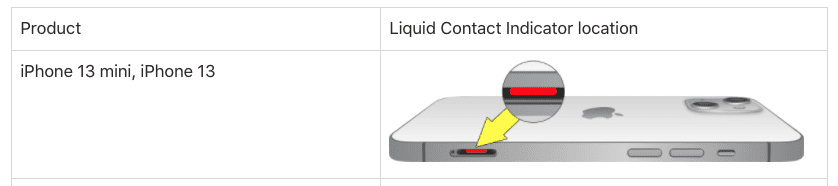
The location of the LCI depends on which iPhone model you own. Luckily Apple put together this helpful chart to help you locate it.
If you aren’t sure if liquid exposure is causing the alert, that’s when you should contact support for help.
Conclusion
If your phone’s charging port gets wet, don’t panic. Here’s what you should do:
- Dry your phone with a towel
- Turn your phone OFF
- Remove the SIM card and battery, if applicable
- Firmly tap your phone with your palm to eject water from the charging port
- Put your phone in a sock and blow cool air into it
After about 3 hours, your phone’s charging port should be fully dry!
Avoid using cat litter, rice, silica gel packets or any heat source. These drying methods don’t work well, and in many cases can cause more damage to your phone.
Unless it’s an emergency, I would strongly advise against using the Emergency Override option. Charging your phone when the charging port is wet can cause permanent damage.
The best thing to do is wait for your phone to fully dry. Just be patient!