How to Sneak Past Ring Doorbell (Disable/Jam/Block Camera)
If you have a Ring doorbell installed, you may be wondering how you (or worse, someone with bad intentions) sneak past without Ring doorbell sensing it.
Here’s how to sneak past a Ring doorbell:
- Disconnect the router/modem. Without a wireless connection, Ring won’t work.
- Use a signal jammer/blocker to sufficiently disrupt Ring’s WiFi signal.
- Use a physical barrier or cover to block the camera altogether.
- Finally, if you have access to the Ring app, you can turn off “Motion Detection” or disable specific “Motion Zones.”
Each of these options comes with varying levels of effectiveness, cost, and detection.
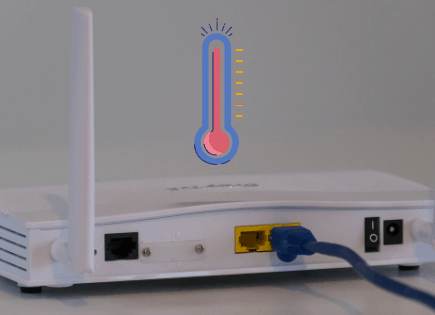
Unplug the router/modem to take Ring doorbell offline
Ring products require a WiFi connection in order to work. If your wireless router/modem goes offline, taking down your WiFi, then your Ring doorbell will immediately stop working.
So if you have access to the router/modem that the Ring doorbell is connected to, simply disconnect it (unplug it), and the Ring doorbell will go offline.
WiFi connections are dropping and disconnecting all the time, so it wouldn’t be all that suspicious. It’s also incredibly difficult to know exactly why the WiFi goes down when it does.
There isn’t a log readily available somewhere that says, “Someone unplugged the router/modem.” So it’s basically impossible to prove.
Furthermore, the Ring app does a pretty poor job of alerting users when their doorbell goes offline! I’m fairly certain the owner doesn’t even get a notification because that feature is still in hopes of becoming implemented.
The owner would have to open the Ring app and go to the doorbell to check its current status in order to know whether or not it is offline.
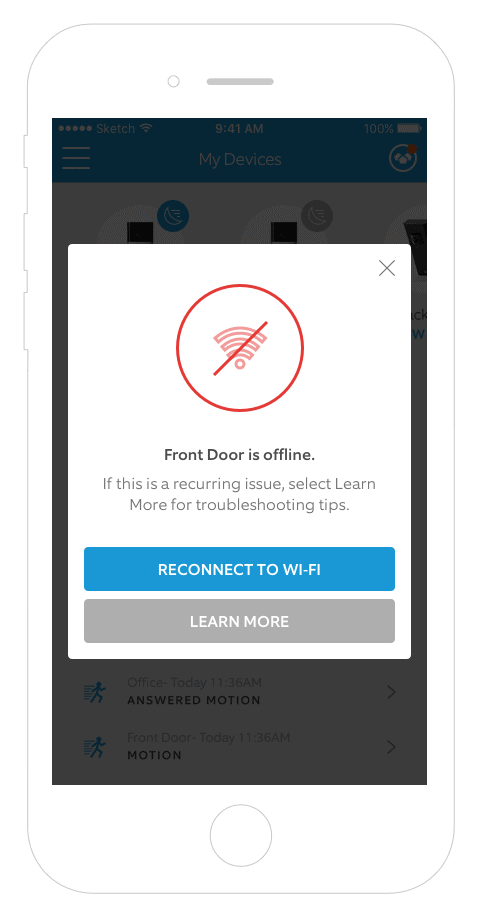
There’s a good chance that they would never even know their Ring doorbell wasn’t working for a period of time.
Unless, of course, they decide to randomly check the app.
How to protect against this
The easiest way to protect against this is to make sure that your home is secure!
By locking all your doors and windows and putting an alarm system in place, you will likely prevent anyone from breaking in and gaining access to your router/modem.
You can even take it a step further and hide your router/modem.
If the perpetrator is one of your kids trying to sneak out or maybe sneak someone in, your best bet is to lock your router/modem in a closet and hide the key.
This is actually a good practice, regardless, so that no one in your home can tamper with your network.
Use a WiFi signal jammer/blocker to take Ring doorbell offline
If you don’t have access to the router/modem inside the home, using a signal jammer is another very successful way to take down the WiFi and sneak past a Ring doorbell.
The concept behind signal jammers has been around for decades – deliberately jamming, blocking, or interfering with wireless communications.
In this case, you’ll be using a jammer that blocks WiFi signals. The jammer creates “noise” by sending a ton of signals all at once in the 2.4GHz and 5.0GHz frequency ranges.
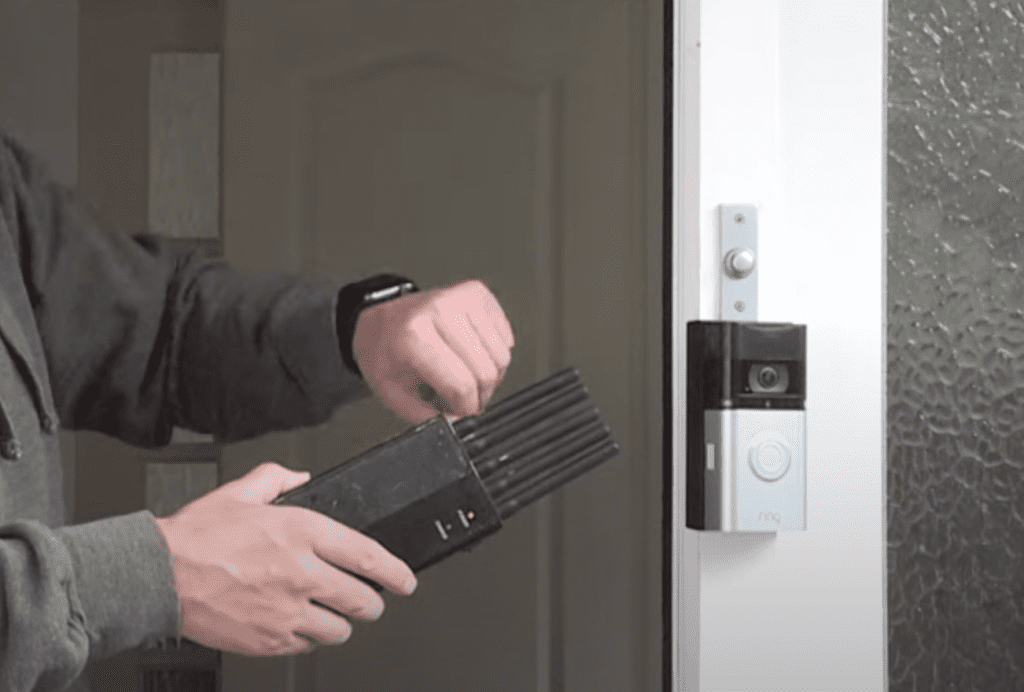
This method is the equivalent of playing incredibly loud music while two people are trying to have a conversation. The music is so loud and so relentless that you can’t hear what the other person is saying at all.
The jammer basically overwhelms the WiFi signal coming from the Ring doorbell, rendering it useless.
While incredibly effective, these devices are understandably illegal. That’s because they don’t discriminate at all; they block signals from any device within range.
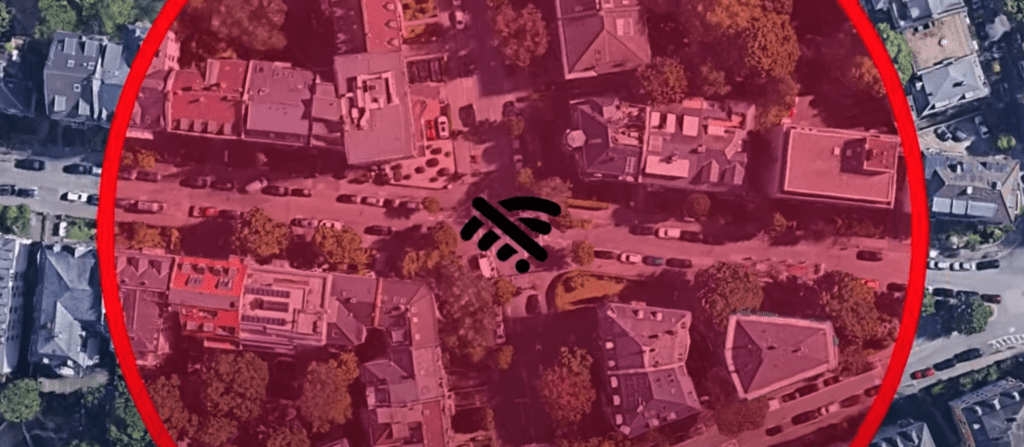
You can imagine the chaos that would ensue if people were allowed to walk around with these devices freely. Need to get online with your phone or call 911? Sorry, the guy next to you has a signal jammer on.
While the marketing and selling of jammers in the US is a federal crime, there are ways to get around this. That said, I highly recommend you avoid this option altogether.
How to protect against this
Unfortunately, there is little, if anything, you can do to protect yourself against a signal jammer.
The best you can hope for is that Americans are afraid enough of violating federal law that they won’t attempt to buy a signal jammer outside of the country.
But as we know, in this highly connected, digital world, it’s pretty easy to get your hands on illegal things.
If a perpetrator has a signal jammer, there’s not much you can do about it.
Block the Ring doorbell cam with a physical barrier/cover
This option contrasts starkly with the highly technical “signal jammer” solution above.
Instead of using a piece of equipment to disrupt the WiFi signal, you can simply block/cover the Ring doorbell camera.
Sounds obvious, I know, but it can still be fairly effective. By placing a piece of tape or even a bag over the Ring doorbell, you effectively render it useless.
The challenge with this option is getting physically close enough to the camera that you can block/cover it.
You have to worry about 1) being seen and recorded and 2) setting off the motion sensor, which will alert the owner (if motion detection is turned on).
If you’re able to disguise yourself first and then quickly cover the camera, you’re probably in luck, at least for a short period of time.
If the owner is nearby, they will get an alert and likely check their camera. When they see nothing but black, they’re probably going to be alarmed.
How to protect against this
As a Ring doorbell owner, make sure you have motion alerts set up!
To do this, open up the Ring app and select your Ring doorbell. Right beside it, you’ll see “Motion alerts” – toggle this ON.
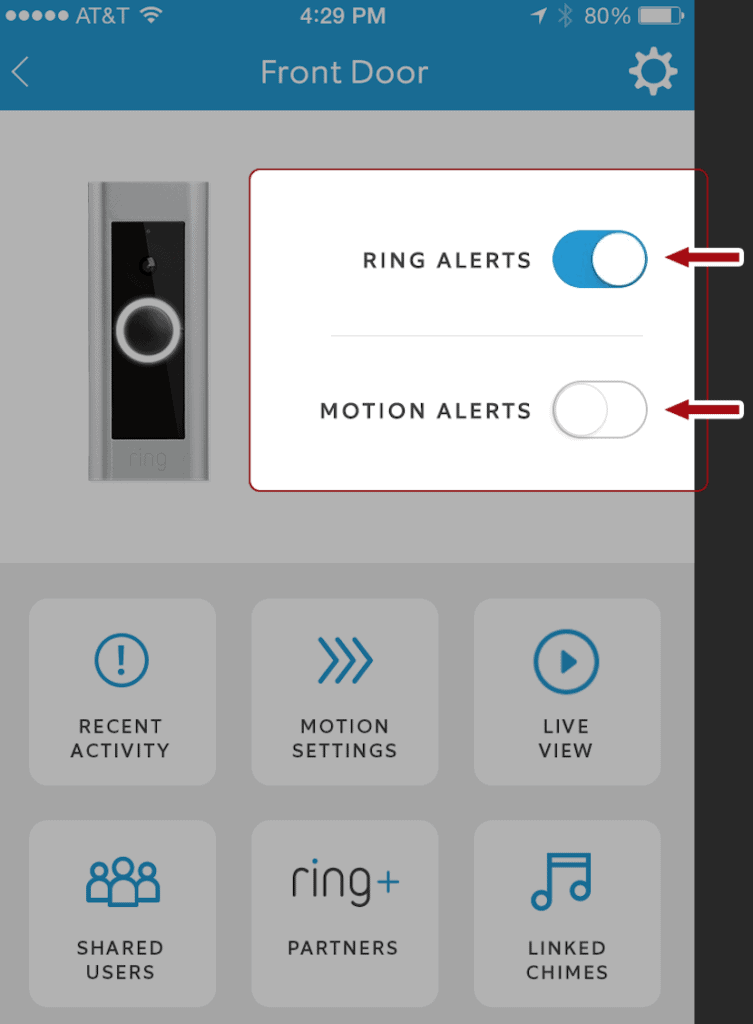
This way, whenever someone walks by or in front of your door, you’ll get a notification on your smartphone and can quickly assess the situation.
If your camera loads, but it’s completely black, that’s cause for concern!
Disable features within the Ring app
I saved this method of sneaking past Ring doorbell for last because it is the most obvious and likely the least useful. That’s because you’ll need access to the actual device that has the Ring app on it and controls the Ring doorbell you’re trying to sneak past.
The good news is, if you have direct access to this device (for example, your parent’s smartphone), this is the easiest way to sneak by! Simply open the app and turn off “Motion Detection” or disable specific motion zones of the ring doorbell.
Turn off “Motion Detection”
You can completely disable the motion recording function on your Ring Device by toggling off the Motion Detection control in your Ring app.
- Open the Ring app
- Tap the three lines at the top left-hand corner
- Select Devices
- Tap the device you want to adjust
- Turn Motion Detection OFF
- The OFF position will be white
- The ON position will be blue
NOTE: Motion Alerts and Motion Detection are not the same thing! If you just turn off alerts, you will no longer receive notifications, but your device’s motion detector will still be turned on. Any motion it detects will be recorded in your device’s history log! So make sure you turn off “Motion Detection”; this way, no motion will be tracked, and no alerts will be sent.
Disable specific “Motion Zones”
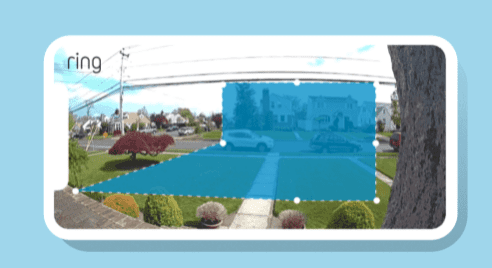
If you want to be a little less obvious, you can keep Motion Detection on but disable the Motion Zones on the camera itself. This way, everything appears normal, but the camera won’t detect you.
- Tap the three lines on the top left-hand corner of the Dashboard screen.
- Select Devices.
- Tap the specific device that you want to adjust.
- Select Device Settings.
- Tap Motion Settings to customize your Motion Zones.
- Select the Add a Motion Zone button, and you’ll see a colored box appear.
- Follow the on-screen directions, and drag the points of the colored box to expand or contract the area you want to monitor (less is better if you’re trying to sneak by!).
- Once your Motion Zone is in place and you’re happy with the placement, press Save.
How to protect against this
As a parent or homeowner, the easiest way to protect against someone using the Ring app to disable features on your Ring doorbell is to secure your device!
If you’re like most people, the Ring app is on your smartphone. Just make sure you use a passcode on your phone that no one else knows.
And you can take this a step further by not leaving your phone lying around! Out of sight, out of mind.
Conclusion
If you’re trying to sneak past a Ring doorbell or prevent someone from sneaking past it, there are some possibilities you should be aware of:
- Disconnecting the router/modem to take the WiFi offline and, subsequently the Ring doorbell.
- Using a signal jammer to disrupt the WiFi and take the Ring doorbell offline.
- Using a physical barrier/cover to block the Ring doorbell’s camera entirely.
- Finally, if you have access to the Ring app, you can turn off “Motion Detection” or disable specific “Motion Zones.”
Each of these approaches can be effective for sneaking past a Ring doorbell. As a homeowner, you should know each option well so that you can do your best to prevent it!
Ultimately, you should never rely on a single technology to protect your home. Ring doorbells are extremely convenient and great products to own, but I don’t suggest you use them as your only security measure.
Good luck and thank you for reading!